PROM - Programmable Read Only Memory: Service and Repair
DVD-ROM Replacement1. Turn the ignition switch ON (II).
2. Open the front cover (A) of navigation unit.
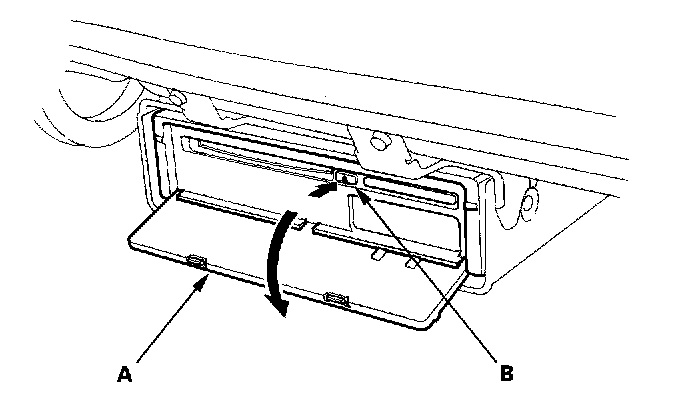
3. Press the EJECT (B) switch.
4. Remove the DVD-ROM.
5. Insert the new DVD-ROM.
6. Close the front cover.
NOTE: After servicing, the front cover must be closed. If you start up the navigation system with the front cover open, the display will indicate "Navigation unit door is open or No DVD Disk installed. Please check system".
Do not turn the ignition switch OFF until data is downloaded to navigation unit.